

CONTEXT
Treffa is a social shopping app for personalized recommendations and finds, powered by a bounty system.
As part of a short internship, I worked directly with Treffa's founder to redesign the platform's product discovery and shopping features. Treffa was looking to integrate smart AI features to aid with product search, so much of the design sprint was spent fleshing out what that flow from initial query to purchase could look like.

THE PROBLEM
Integrate Treffa's new AI search feature into its existing core product discovery functionality.
Also, upgrade existing request and recommendation UX to feel more frictionless and refined.
OBJECTIVES
New feature
Adding another layer of product discovery on top of Treffa's community-powered assist system
" height="12.75882311931882px" id="t6n_qkwZT" transform="translate(1 0)" width="13.250470367118854px"/></svg>)
Consistency
Making sure that the new feature's design blends seamlessly with Treffa's existing branding
Refinement
Bridging the best of all of Treffa's previous iterations to create a more modern look and feel
" height="12.00012834054449px" id="sS_8ZzF7U" width="14.99983941065802px"/></svg>)
Handoff-ready
Systemizing my designs to be as production-ready as possible in the short turnaround time
Distilling a loosely defined feature concept into something concrete, clean, and effective within narrow time constraints.
DELIVERABLES
The main concept looked like the following:
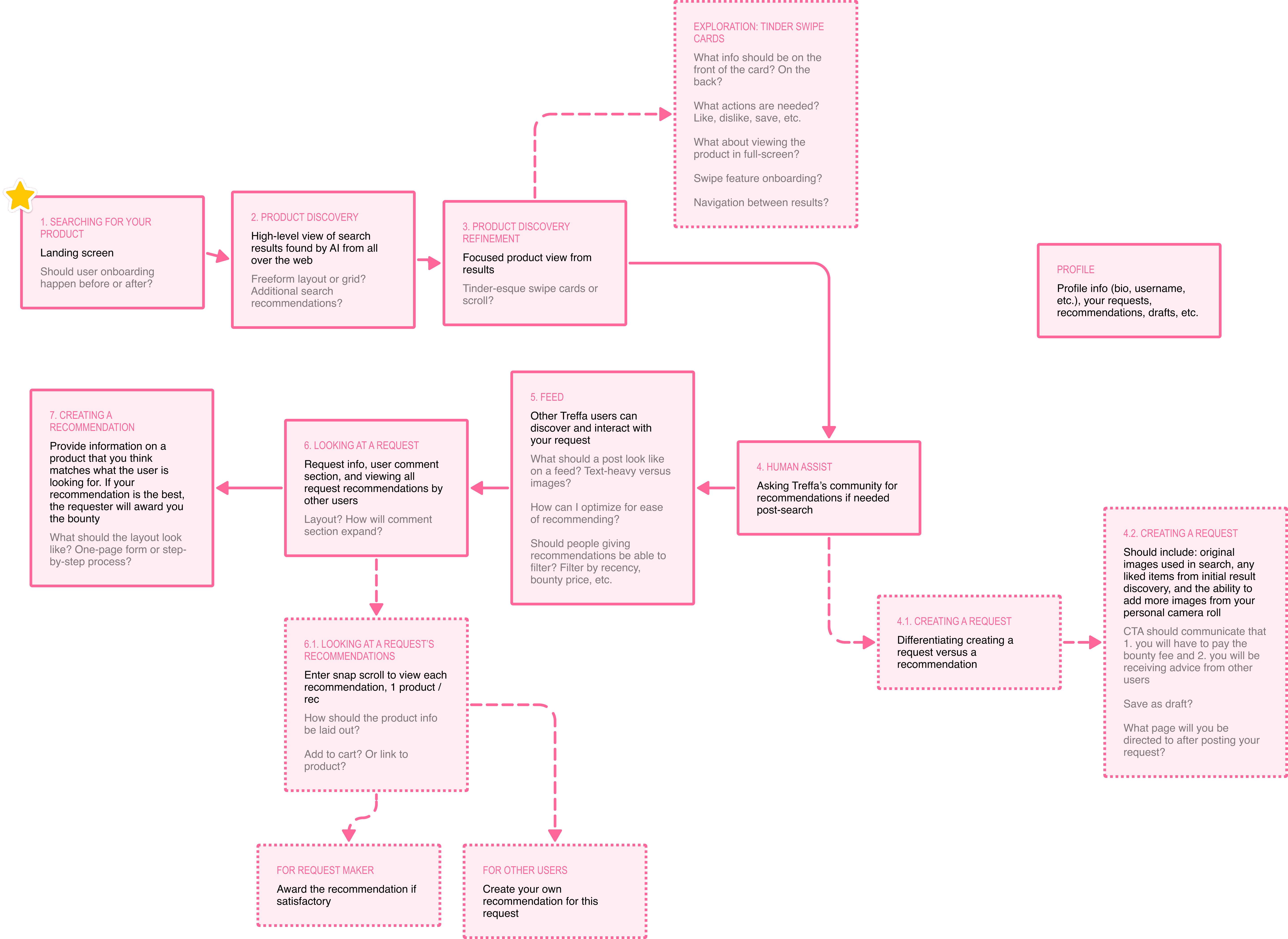
FIGURE 01
Fleshing out the new feature's flow, exploring different options.
THE PROCESS
01. Two weeks meant no room for misalignment – it was crucial that the founder and I were headed in the same direction early on
Gathering the materials to get a better grasp of what the feature might look like.
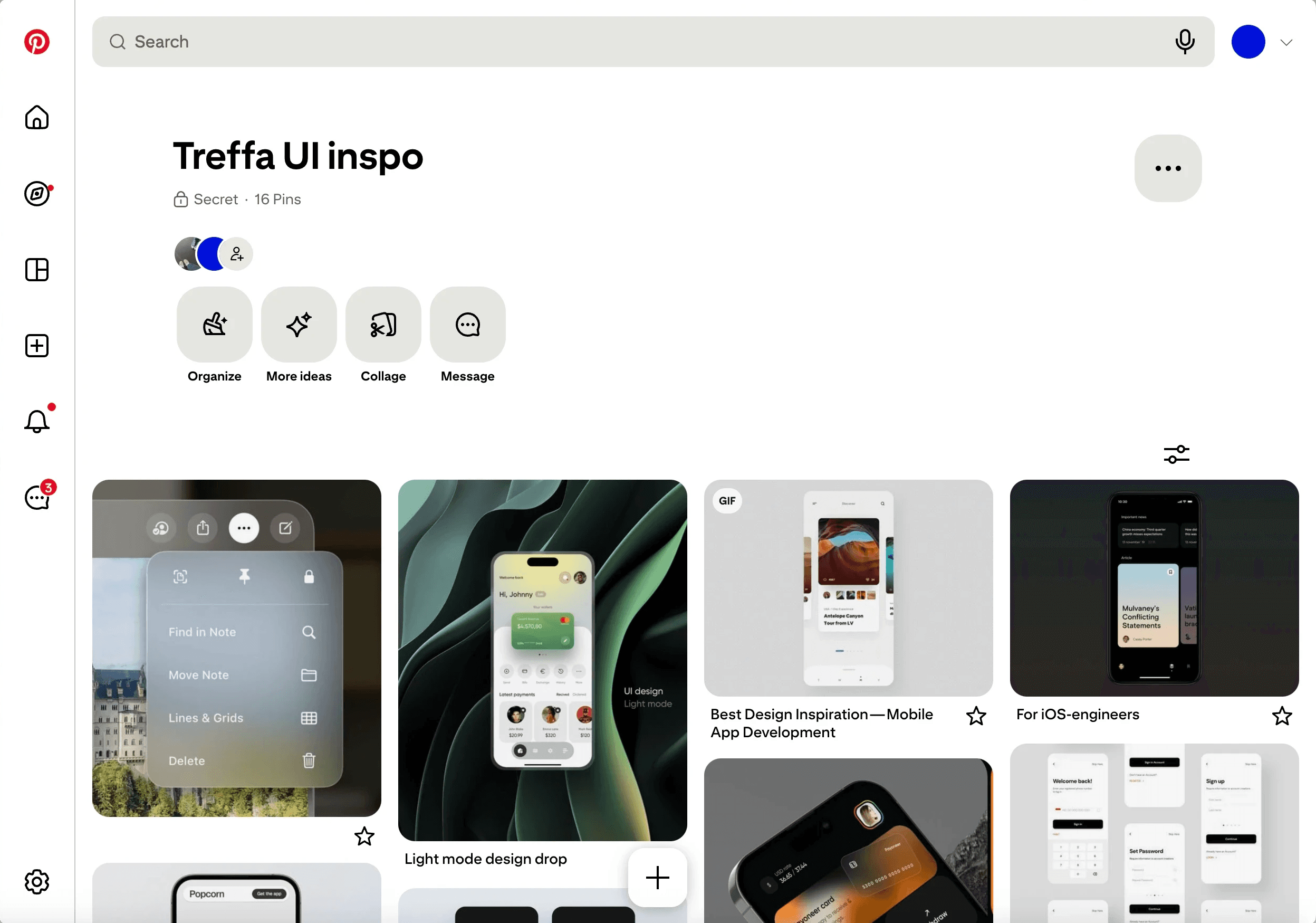
FIGURE 02
Jamming with the founder to put together a moodboard for the UI. Key trends included minimal accent colors, simple modularity, and soft gradients.
At this point, I began brainstorming how to apply this newer, more modern look to Treffa while preserving original elements of its brand and existing UI.
02. Pressure-testing the flow by experimenting with what it could look like on-screen
Translating the UX diagram into what it would look like for actual users.
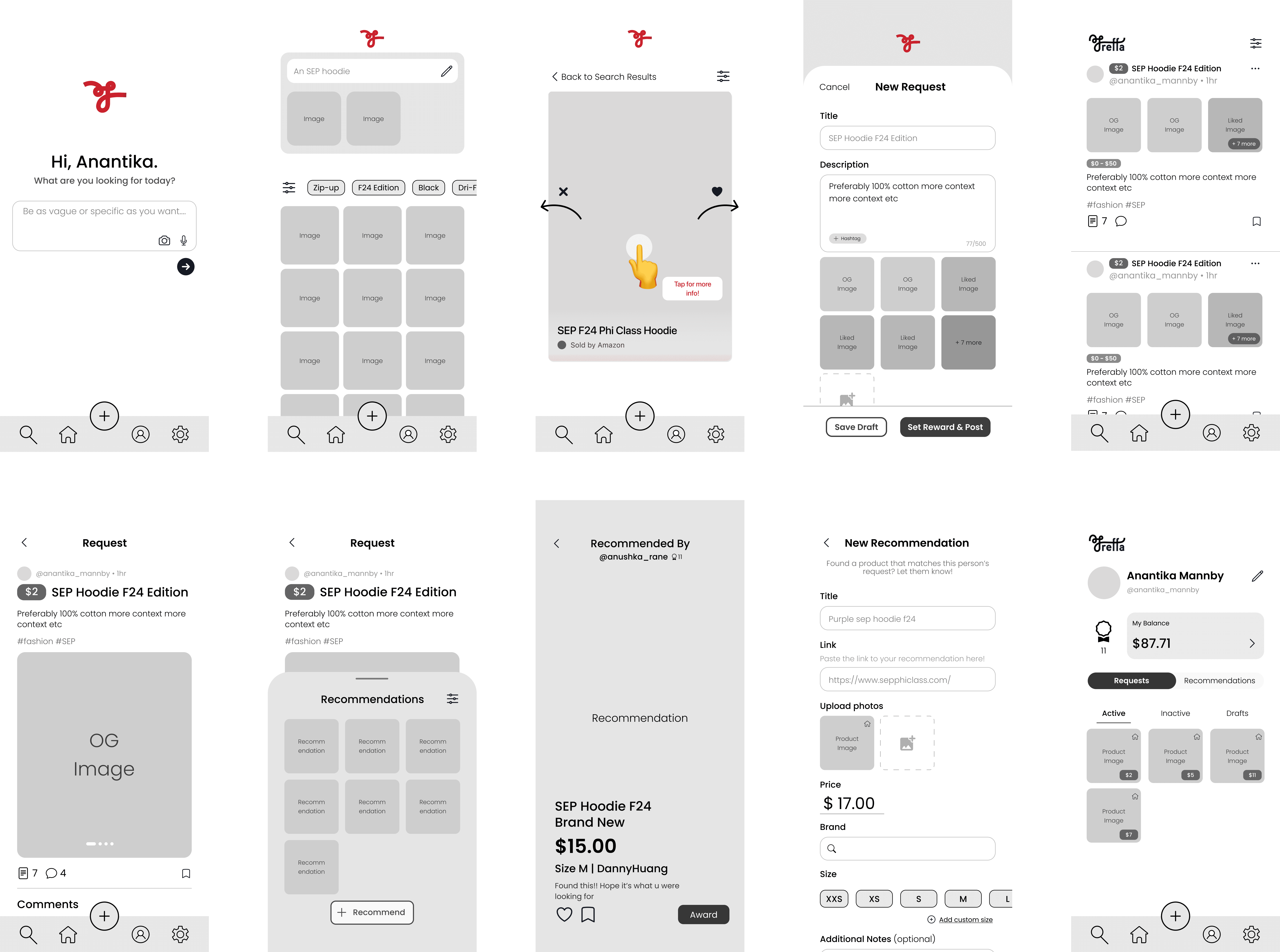
FIGURE 03
The core screens as informed by the initial UX flow. Click to transform!
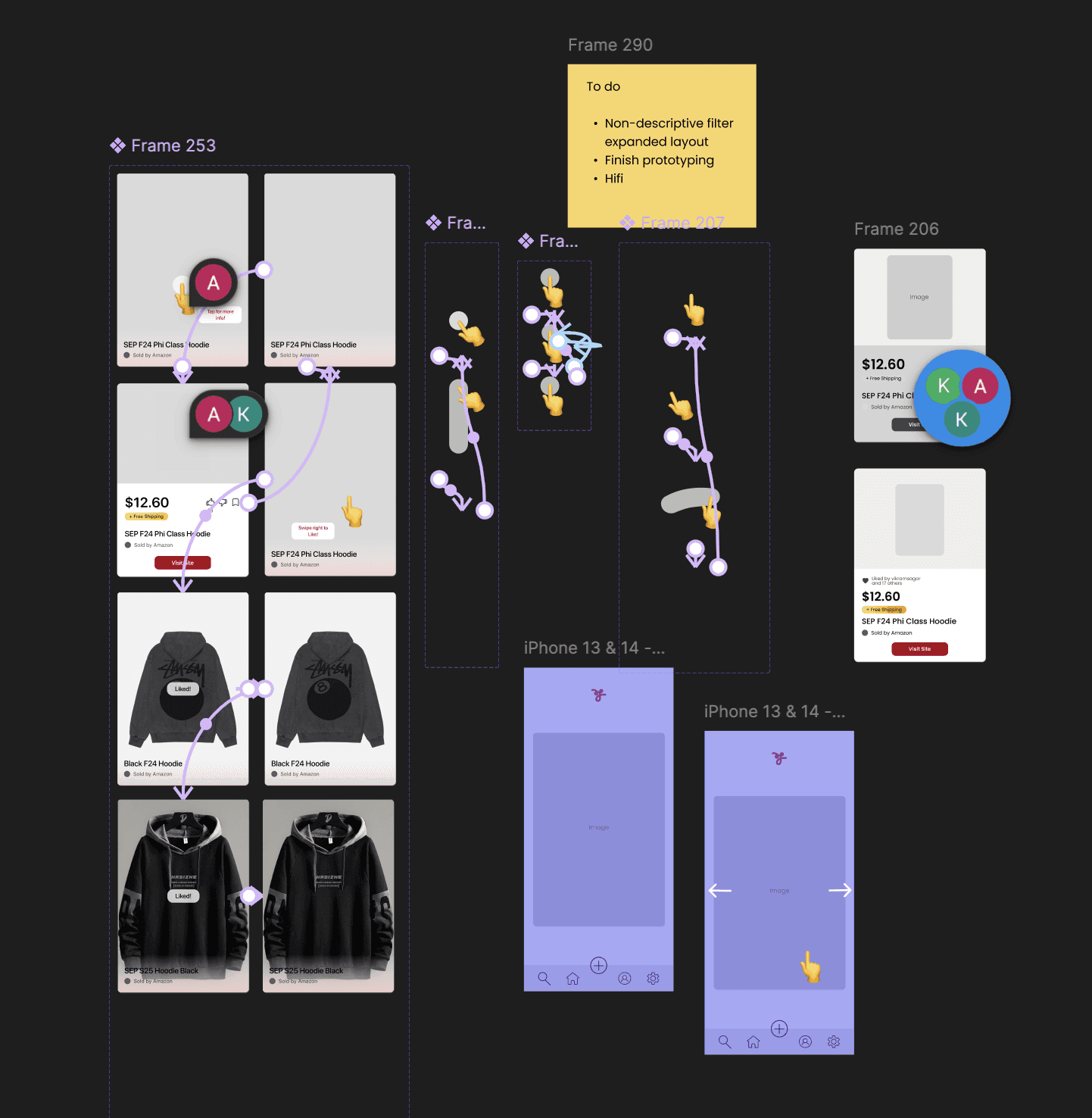
FIGURE 04
Components for the key card swiping functionality, including the tutorial used to onboard users upon update.
THE RESULT
Treffa's new search feature adds another layer of product customization and discovery to the platform's existing functionality.
Users can find what they're looking for from all corners of the Internet––and if that's not enough, Treffa's community of avid shoppers will help out, too.
FIGURE 05
Walkthrough of Treffa's new feature!
FEATURES
Search
The core shift from Treffa's previous flow is an additional AI-powered search feature that users can use to expand their potential finds as they look for their perfect product. Users can attach photos of what they're looking for and be as descriptive as they'd like.
PRODUCT DISCOVERY
An early idea that stuck was for users to be able to view their search results through a gamefied, Tinder-like swiping system. Users can swipe right to save something, and left to pass.
Request
In the case that the user hasn't found their perfect item, they can make product requests to be viewed by the entire community. Here, they set a "bounty" for the request, which is the amount that they are willing to award to a recommender who finds what they were looking for. Photos and descriptions are saved from the initial query to avoid repetitive work.
EXPLORE
All users can view a request's community recommendations through a snap-scroll feed, where people can view each product in more detail. The original poster can use this to award the best recommendation.
Recommend
All users can make their own recommendations for a specific request. Here, they attach the product link and images. If their recommendation is the requester's favorite, they will be awarded the bounty tied to the request.
TAKEAWAYS
What I learned after Treffa
Define scope early
When I first received the brief, I was overwhelmed with how much it seemed I had taken on within a short, two-week period. Taking the time to distill the deliverables into well-defined, incremental objectives made it a lot easier for me to 1. know where to start and 2. portion my time wisely.
The devil is in the details
Implementing an additional feature meant figuring out the logistics end-to-end: How will x interact with y? What's the clearest copy for this CTA? Making sure that existing and new users of Treffa could navigate and adopt the new feature as soon as possible after implementation required careful thought about how to blend the new feature into the existing functionality seamlessly. What helped a lot here was physically drawing out and diagramming all of the little details regarding layout, flow, and interaction.